Writing the UI that replaced a developer dependency
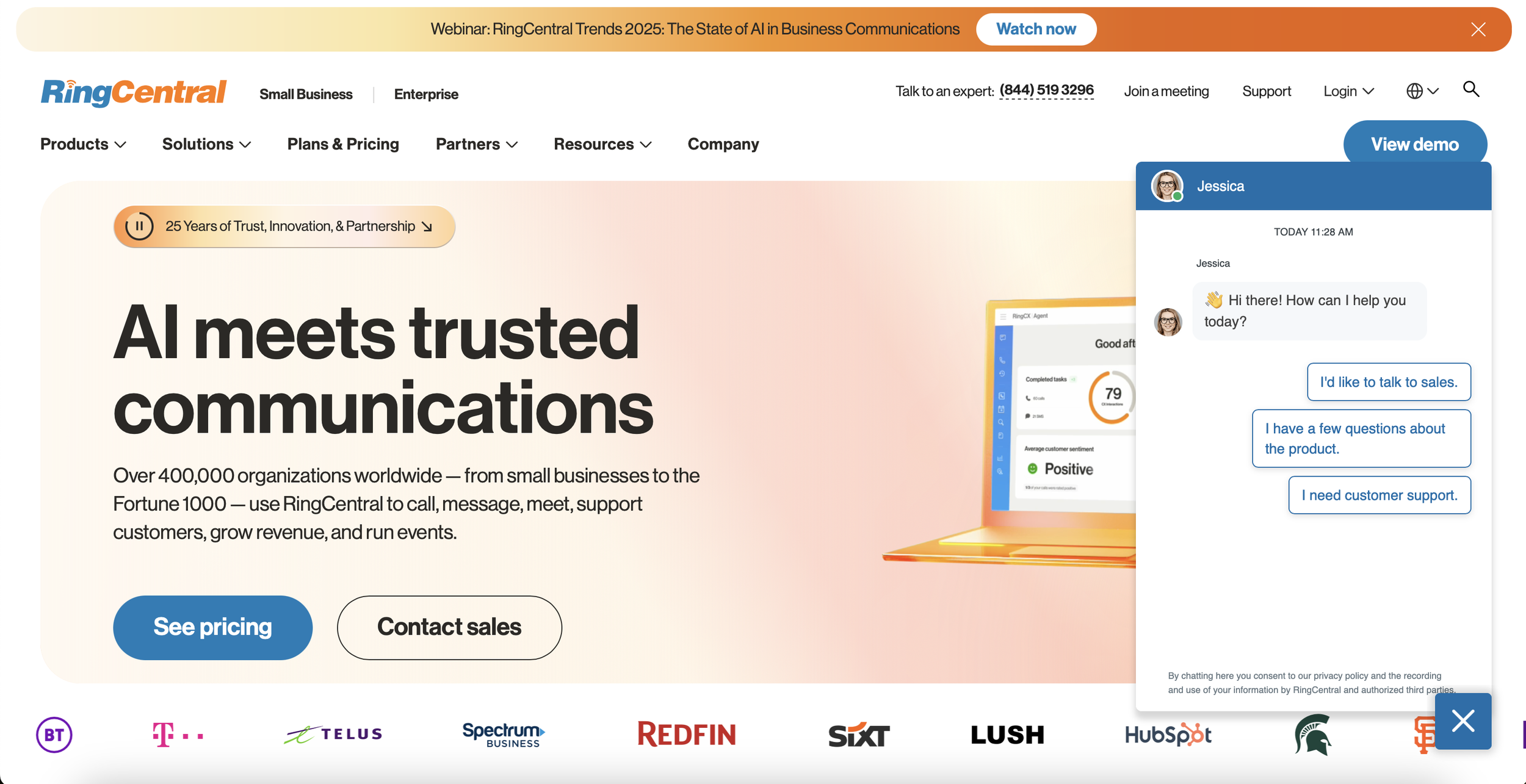
RingCentral's pre-chat forms had no GUI, businesses needed a developer to build them via API. My job was to write the UI that would put that power directly in the hands of small business owners.
The problem
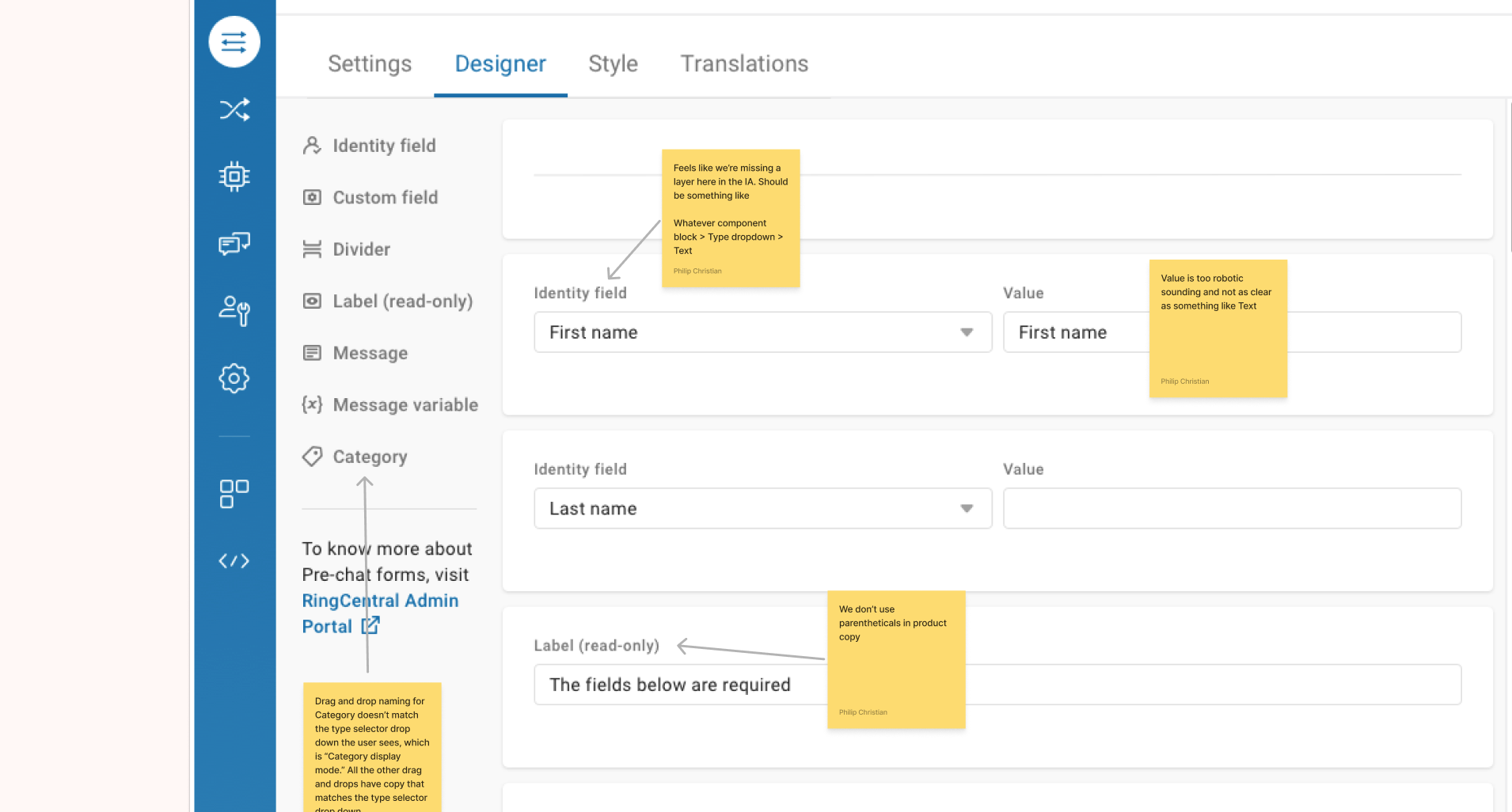
RingCentral has a live chat tool businesses can embed on their website. Pre-chat forms are questionnaires that appear at the start of a chat, letting businesses learn about a visitor before the conversation begins, "Why are you contacting us today?" A customer's answer routes them to the right support queue.
Pre-chat forms v1 had no GUI. To build one, businesses relied entirely on developers using RingCentral APIs. For small-to-medium-sized businesses without dedicated developers, that meant the feature was effectively inaccessible.
The goal
Build a GUI for pre-chat forms so businesses without full-time developers could create them independently. With a pre-chat form in place, businesses can spend less time figuring out what a problem is, and make sure site visitors reach the right support queue from the start.
The audience
Informational needs
- Who is visiting my site, why are they here, and where should I direct them?
Jobs to be done
- Direct visitors to the team that can best solve their problem
- Reduce support hold times by qualifying questions upfront
Psychological profile
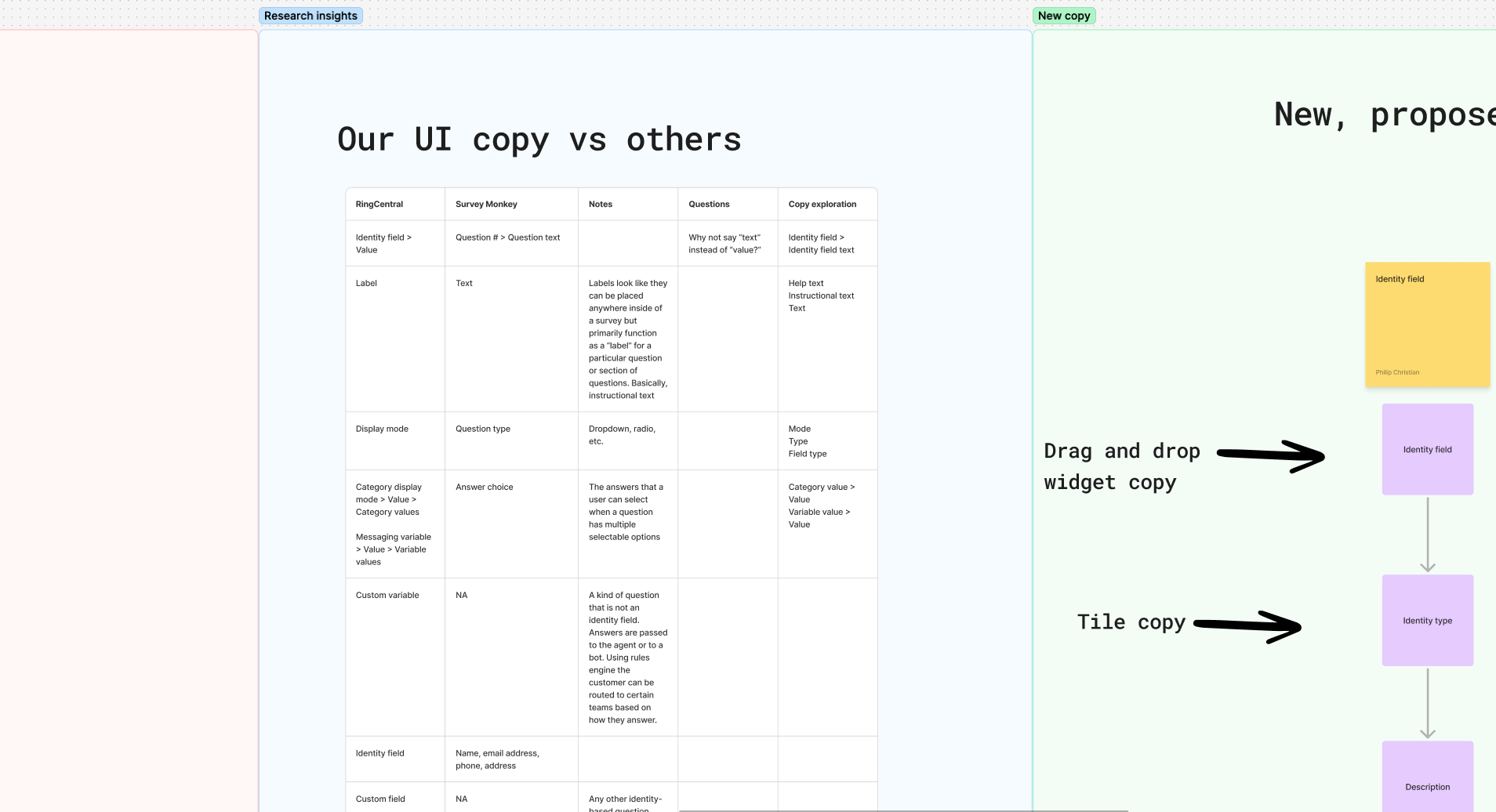
- Mental model: users expect survey-like behavior based on tools like SurveyMonkey
- Familiarity bias: prefer designs they've seen before
- Discoverability: play off established models to reduce learning curve
Ideation and development
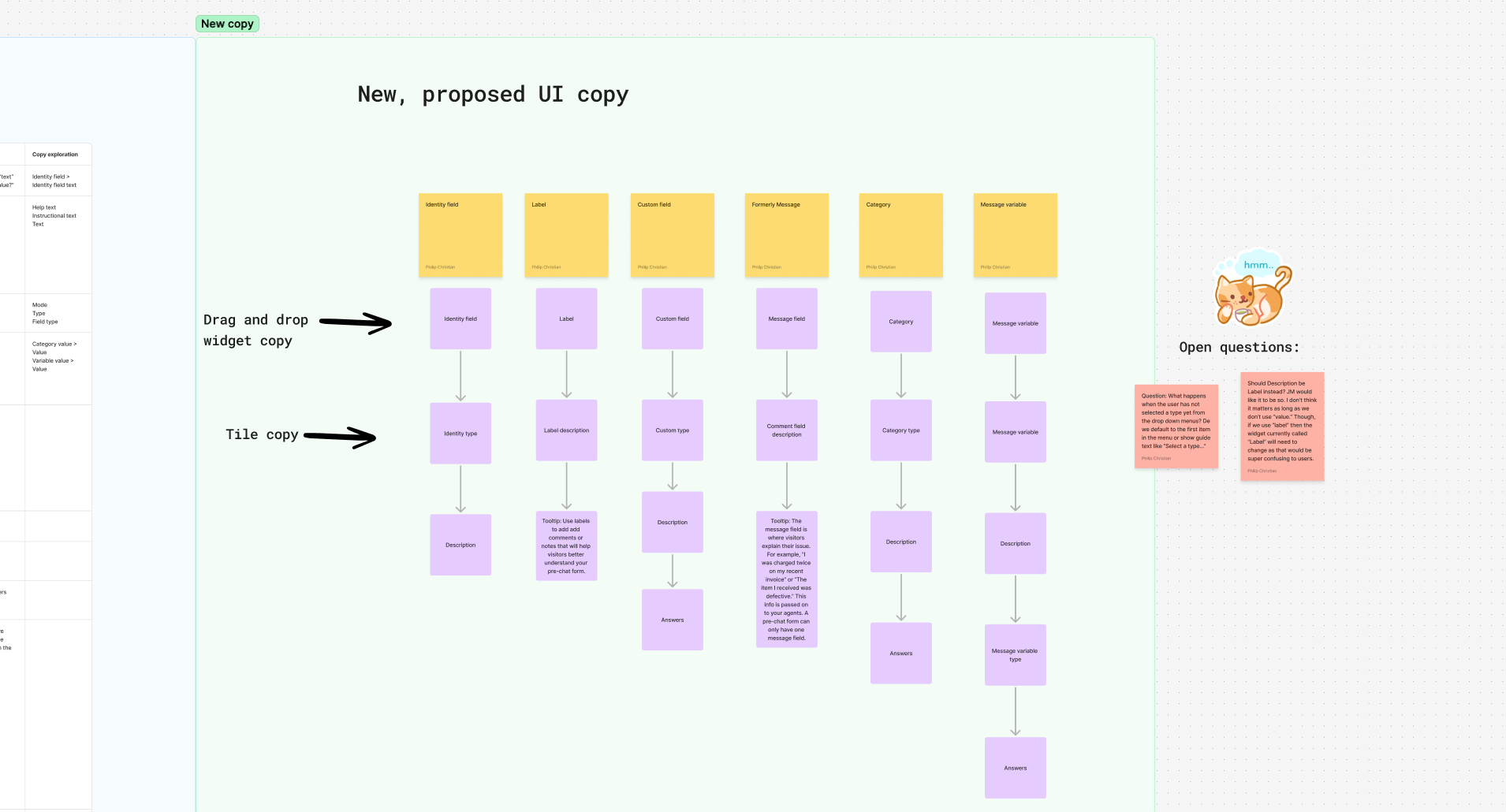
I spent time listening to user research interviews and exploring consumer-grade survey tools like SurveyMonkey, looking for patterns users would already recognize. I created a low-fidelity mockup in FigJam covering the widget copy, field copy, and tooltip copy, grounding the design in a familiar mental model.
The approach: borrow the conventions users already understood from survey tools, then extend them with the specific needs of a live chat routing system.
Feedback and iteration
Once we had detailed mockups, I discovered a significant problem with my initial design. The drag-and-drop widgets used to assemble pre-chat forms derived their label from the first editable field inside the widget, not a fixed label. This worked most of the time, but broke down when the first field's name didn't match the widget's actual name.
For example, the "Category" widget, once dragged into the form builder, would display as "Category display mode", the name of its first dropdown. Stakeholders weren't convinced this was a problem. But during prototype testing, multiple users dragged a widget into the builder and became visibly confused when its name changed. I pushed for fixed labels on every widget, keeping names consistent between the toolbar and the form builder.
The widget naming issue is a good example of a problem that looks minor on a static mockup but becomes obvious the moment a user touches it. That's why prototype testing matters.
Results
The product designer and I presented our work to the design team, passed team and executive review, and handed off designs to engineering. The pre-chat forms GUI was in progress with the engineering team at the time this case study was written.